
Luxe Radiance walkthrough - Evaluating a new deal
Follow a step-by-step walkthrough of how a PE professional evaluates a new beauty company deal using DealSage
Walkthrough
Nov 6, 2025
A New Deal Just Landed - Here's How I Review It
I just received a new deal: Luxe Radiance, a beauty company. Before I spend hours manually pulling data from PDFs and rebuilding spreadsheets, let me walk you through how I actually evaluate whether this is a fit for our fund.
I'll show you exactly how I move from raw deal documents to a benchmarked analysis ready for IC review.
"PE professional case study: walking through DealSage deal evaluation workflow for beauty company acquisition"
Step 1: Upload Everything at Once
I start by uploading all the deal documents—the CIM, P&Ls, Excel models. DealSage accepts every format, so I don't waste time converting files or uploading one at a time.
As soon as I upload, DealSage creates the deal entry and immediately begins extracting and structuring all the underlying data. No waiting, no manual tagging.
From here, I could kick off workflows right away—run a business analysis, build a model, audit the financials. But for now, I'm heading into the deal library to continue my review.
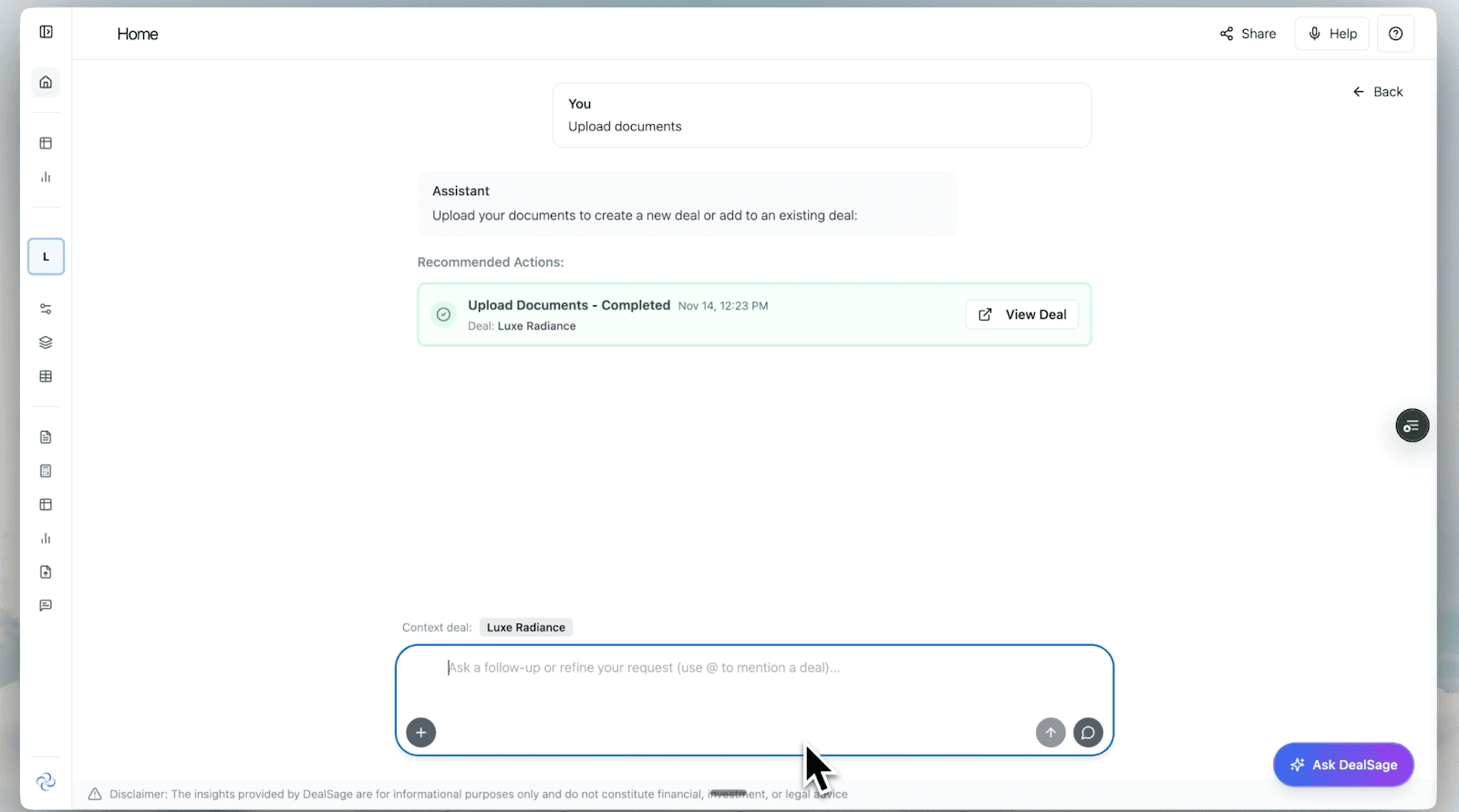
"Uploading CIM and financial documents to DealSage with automatic data extraction"
Step 2: Visual Deal Library - Everything in One Place
Inside the deal library, I can see all my deals laid out visually. I open Luxe Radiance and all the key details are already filled in automatically.
What I care about is the deal data. I can see all the documents and workflows available. I could generate a combined validated P&L right now, but first I want to dive into the CIM to understand the key metrics.
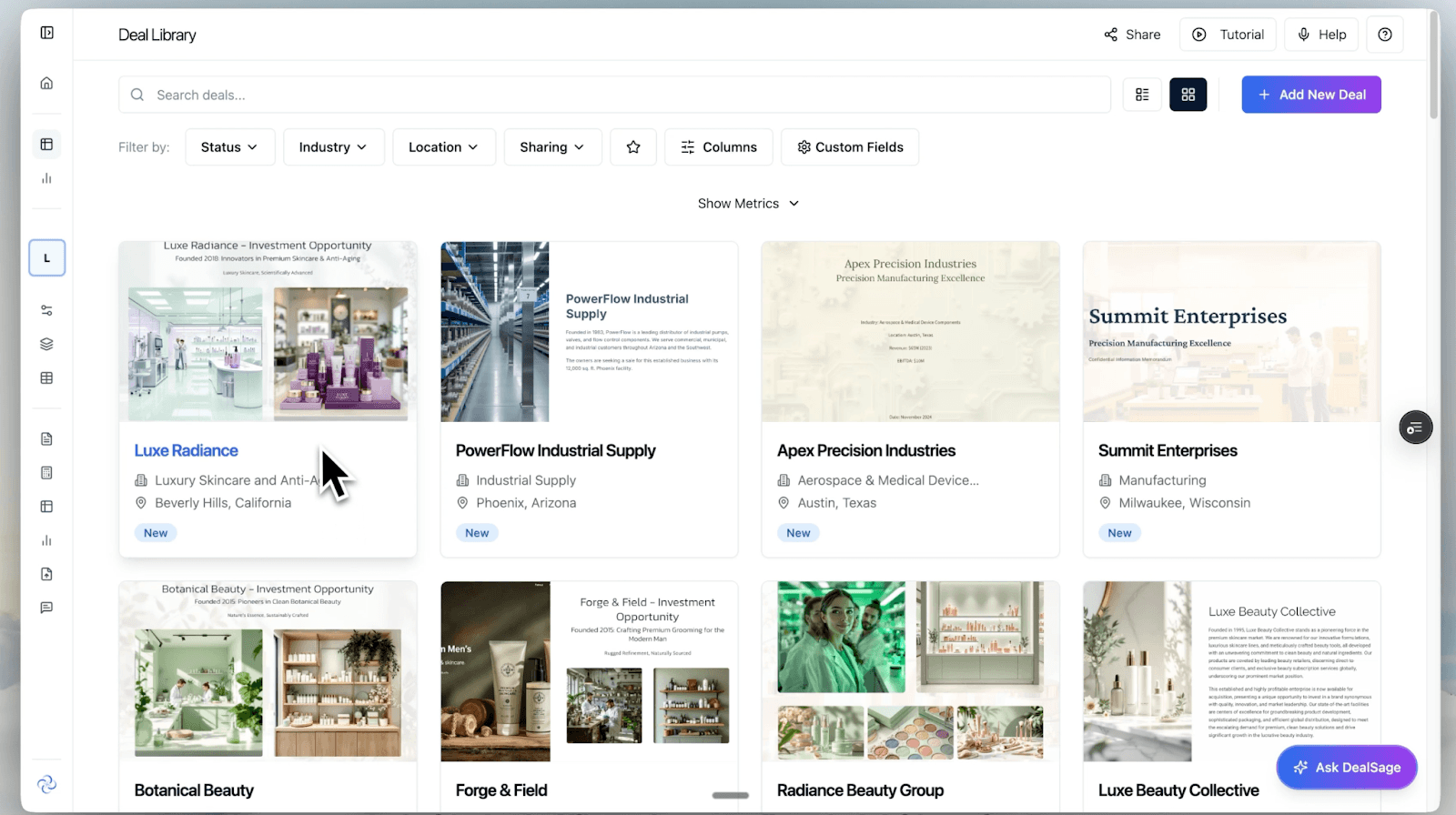
"DealSage deal library showing all active deals with Luxe Radiance selected"
Step 3: Structured Data Tables - Every Metric Extracted
This is where the real time savings happen.
In Deal Tables, DealSage has already extracted and structured every relevant table and metric from the CIM into a clean, usable database. Everything is sourced, so I can always trace any number back to exactly where it came from in the original document.
No more hunting through 80-page CIMs for that one revenue breakdown table. It's all here, queryable and citable.
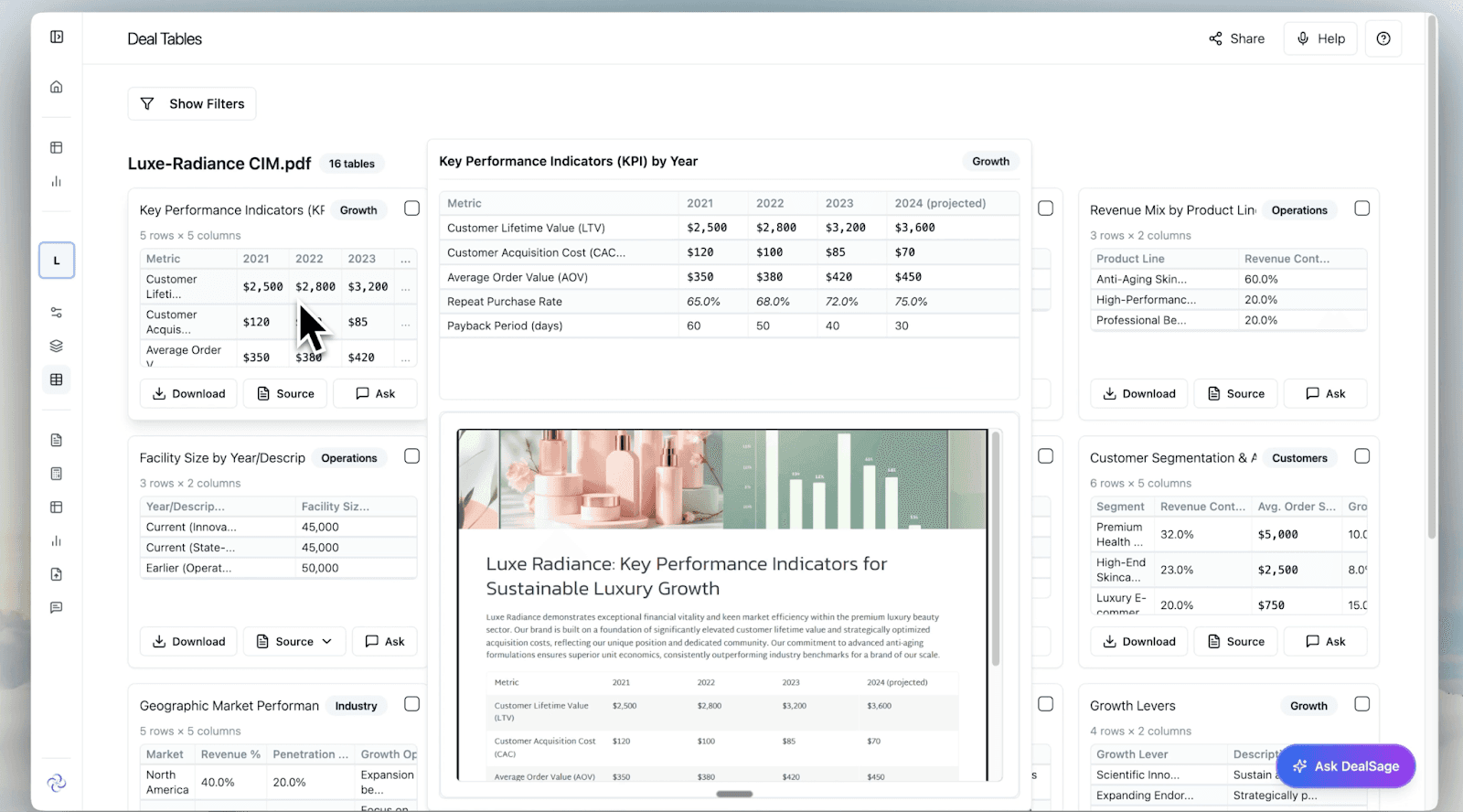
"Structured data tables extracted from CIM with automatic source citations"
Step 4: Add Custom Calculations on the Fly
One of the metrics I care most about for consumer businesses is the LTV to CAC ratio. I can see the inputs here - customer acquisition cost and lifetime value - but the ratio itself isn't calculated in the source document.
No problem. I add this table into the chat and ask DealSage to create a new row with the LTV to CAC calculation. It does this instantly.
Then I save the table back into my repository so I can reference it and reuse it later. This is especially useful when comparing similar businesses- every custom metric I create becomes part of my institutional knowledge.
[IMAGE: Screenshot showing custom LTV/CAC calculation being added to table] Image alt text: "Adding custom LTV to CAC ratio calculation in DealSage and saving to deal repository"
Step 5: Cross-Reference and Validate with Additional Documents
If I ever want to double-check or corroborate anything, I can reference additional documents and get more context into the deal. Everything sources back to its original underlying materials.
This is the difference between "I think this number is right" and "I know exactly where this came from." When you're presenting to IC, that matters.
[IMAGE: Screenshot showing cross-document referencing with citations] Image alt text: "Cross-referencing financial data across multiple deal documents with automatic citations"
Step 6: Benchmark Against My Entire Portfolio
Now that I have the data, the real question is: how does Luxe Radiance compare to all the other beauty businesses I've evaluated?
This is where DealSage really shines.
Because every metric and data table is stored neatly across all my deals, I can query everything at once without losing context. DealSage filters for all the beauty businesses in my pipeline, pulls the relevant deals, assets, metrics, and tables—including the LTV/CAC ratio I just created—and brings it all together into a single benchmark table for easy review.
[IMAGE: Screenshot of cross-portfolio benchmark comparison table] Image alt text: "Dynamic benchmarking table comparing Luxe Radiance to all beauty companies in deal pipeline"
Step 7: Chart, Trace, and Export
From here, I can dynamically chart all this information to visualize where Luxe Radiance stands relative to comparable deals. If any number looks off, I can trace any input back to its original source across each deal.
When I'm ready, I export directly to Excel or straight into our PowerPoint template for IC memo use. No copy-pasting, no reformatting—it just works.
[IMAGE: Screenshot of dynamic charting and export options] Image alt text: "Dynamic charts comparing deal metrics with export to Excel and PowerPoint"
The Complete Workflow: What Used to Take Days Now Takes Minutes
Here's what I just accomplished in a single sitting:
Uploaded all deal documents (CIM, P&Ls, Excels) → Automatic extraction of every table and metric → Custom calculation (LTV/CAC) added and saved → Cross-referenced against source documents → Benchmarked against all beauty companies in my pipeline → Exported to PowerPoint for IC
This entire workflow—from "I just received a new deal" to "ready for investment committee"—used to take days of manual work. Now it takes minutes.
Why This Matters for Deal Velocity
Every PE professional knows the bottleneck isn't analysis—it's data manipulation. Pulling numbers from PDFs. Rebuilding the same Excel models. Trying to remember what metrics you calculated three deals ago.
DealSage eliminates that friction:
Automatic extraction means I never manually transcribe data from a CIM again.
Persistent storage means every table, calculation, and insight I create is saved and reusable across deals.
Cross-portfolio benchmarking means I can instantly compare any new deal against everything I've seen before.
Source tracing means I can defend every number in my IC memo with a direct citation to the original document.
Chat Tools vs. Structured Intelligence
The difference between DealSage and using ChatGPT for deal analysis is the difference between a conversation and a work environment.
With chat tools, you upload a CIM, ask questions, get answers—then close the chat and it's gone. You start from zero on every deal.
With DealSage, every deal I process makes my next evaluation faster. The LTV/CAC ratio I calculated for Luxe Radiance? I can now apply that same analysis to every consumer deal I see. The benchmark table I built for beauty companies? All the data is in there, ready for the next deal to be added.
That's compounding intelligence, not disposable answers.
Try This Workflow Yourself
If you're evaluating deals the old way—manually pulling data, rebuilding spreadsheets, losing context between deals—there's a better way.
Schedule a call with sales to see how DealSage transforms your deal process.
Questions about how this works with your specific workflow? Email harry@dealsage.io.